
A stateful VM terminal for iPhone. Built for AI coding agents.
Run Codex, Claude Code, Gemini CLI, or Cursor workflows in a real VM from your iPhone. Keep state, save named versions from iOS, and reconnect to the same runtime later.
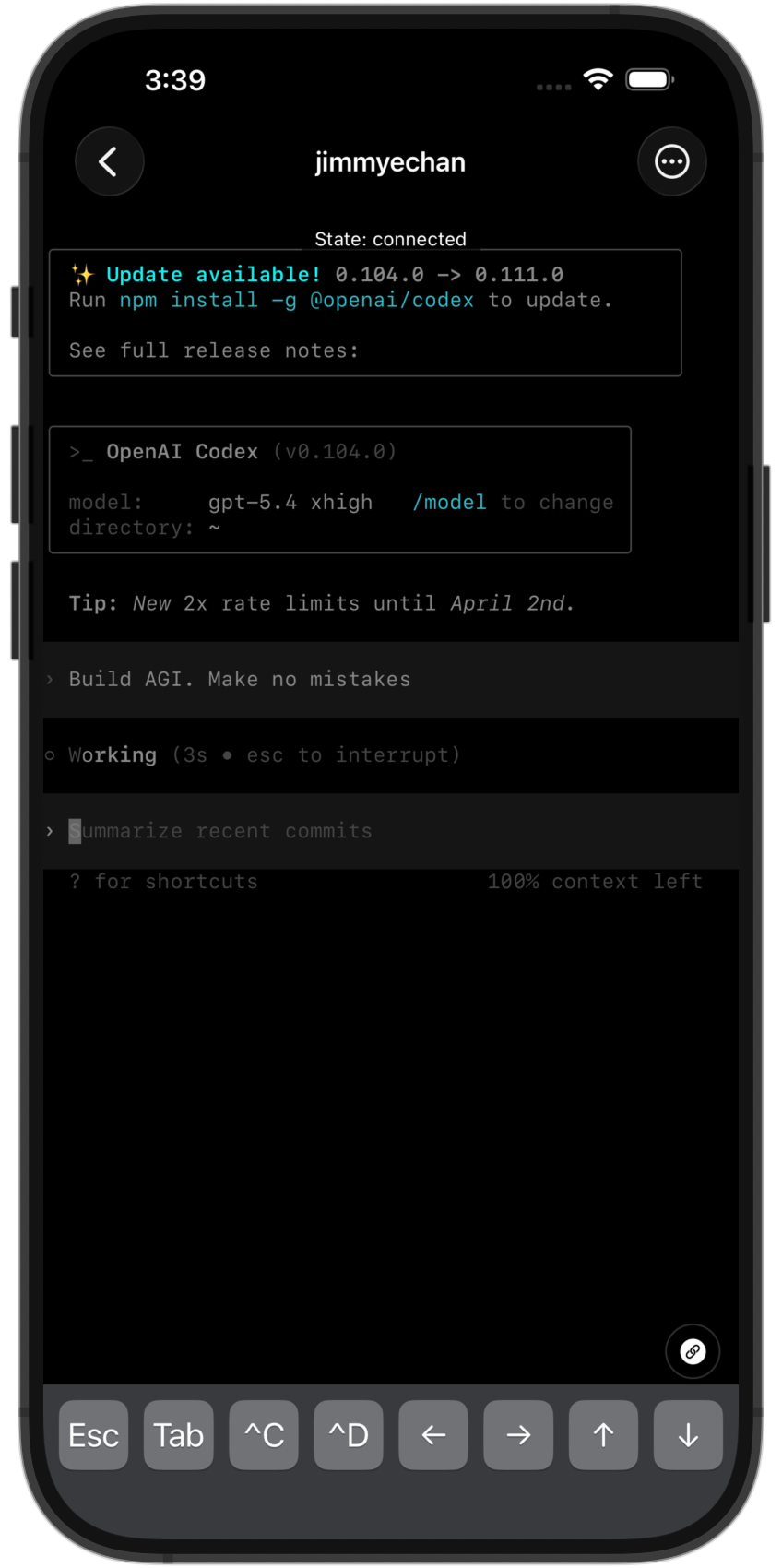
Smooth scroll, dense output, and reliable input on iPhone.
Claude Code, Codex CLI, Gemini CLI, and Cursor workflows.
Restore workspace state, not just shell history.
Agents keep running while the app is backgrounded.
Demo
See how Codem works.
Open a workspace, work in the terminal, then save or restore a named version from iOS when you need a clean checkpoint.
Features
Built for terminal-first development
Codem gives you direct access to a persistent VM from your iPhone, without changing how you work.
Separate VMs per project
Keep each project in its own runtime.
Each workspace has its own filesystem, sessions, and state.
A terminal that feels native
Fast scroll, responsive input, and readable output on iPhone.
Use a real terminal UI instead of a laggy web view.
Run the tools you already use
No wrapper layer. The CLI runs in the VM where the repo lives.
Start Claude Code, Codex CLI, Gemini CLI, or Cursor workflows directly.
Save and restore named versions
Create named versions in iOS and roll back cleanly.
Useful for risky edits, experiments, and long agent runs.
Sleep idle VMs automatically
Cut cost when nobody is using the workspace.
Idle workspaces sleep automatically and resume quickly.
Agents keep running in the background
Leaving the app does not kill the work.
Switch apps, lock your iPhone, come back later, and reattach.
Waitlist
Request access
Share your use case, the agent tools you use, and the device you want to run from. That helps prioritize early access.
Request access
FAQ
FAQ
Is Codem a CLI?
The app is an iPhone terminal client for long-lived VMs. The CLIs run inside the VM.
Do you train models on my data or sell it?
No. Codem does not use your session or filesystem data to train models, and it does not sell that data.
Why use an iPhone at all?
For review, intervention, monitoring, and lightweight iteration when a laptop is unavailable or unnecessary.
Does the runtime keep state?
Yes. Workspaces preserve filesystem and process state, and snapshots let you checkpoint named versions.
What happens when the app backgrounds?
The VM keeps running. You reconnect to the remote session instead of restarting the task.